

RC Airplane Transmitter and Receiver Explained
The confusing part comes after that. Your stick moves, but what actually happens between your hands and the control surfaces out on the wing?
Think of the transmitter as the middleman. You move the sticks, it turns those movements into radio commands, and the receiver in the plane picks them up. Nothing about that sounds complicated until you realize how much has to go right, consistently, at range, in wind, with other pilots’ radios sometimes running nearby.
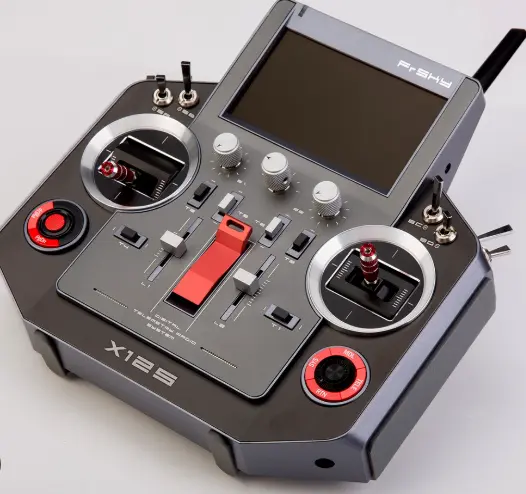
RC Airplane: Why Binding Matters More Than It Seems
Most RC pilots today are using 2.4GHz systems. Unlike the old fixed-frequency setups, these radios can hop between frequencies while they’re operating. If interference shows up on one frequency, the system hops to another. This is part of why binding matters so much — the receiver has to learn which specific transmitter it’s paired to, down to a unique code, so it doesn’t accidentally respond to someone else’s radio at the same field.
The actual binding process usually takes less than a minute. Put the receiver into bind mode, put the transmitter into bind mode, and let the two find each other. Once it takes, the receiver remembers that pairing even after you power everything off. The easy mistake is thinking, “I already bound it once, so I’m done.” It usually is done, until you swap a receiver, update firmware, or buy a plane where someone else already had it bound to their own transmitter.
Range Checks Before You Trust the Link
This is where I’d stop treating the radio setup as something you can just take for granted. A cheap or damaged antenna, a receiver mounted too close to metal or carbon fiber, or a transmitter with worn internals can all shrink your effective range without any obvious warning sign. That’s why I wouldn’t skip a range check, especially before the first flight — walking away from the plane with the transmitter at reduced power and confirming the controls still respond cleanly tells you the link is solid before you’re depending on it at altitude.
Channels: What You’re Actually Controlling
Then there are the channels. This is another place where the numbers can get confusing. A 4-channel setup typically covers throttle, elevator, rudder, and aileron — enough to fly a basic trainer. Add flaps, retracts, or independent aileron channels and you need more from both the transmitter and receiver. Before adding flaps, retracts, or other functions later, check how many channels your radio actually has. Finding out you’ve run out of channels halfway through a build is frustrating.
Setting Up Failsafe Properly
I’d also spend a few minutes setting up the failsafe instead of simply leaving whatever the receiver came with. Most receivers let you program what happens if the link drops — throttle cut, hold last position, or a preset glide setting. A plane doesn’t give you much room to recover from a bad failsafe setting. If the signal disappears while you’re in the air, what the receiver does next really matters.
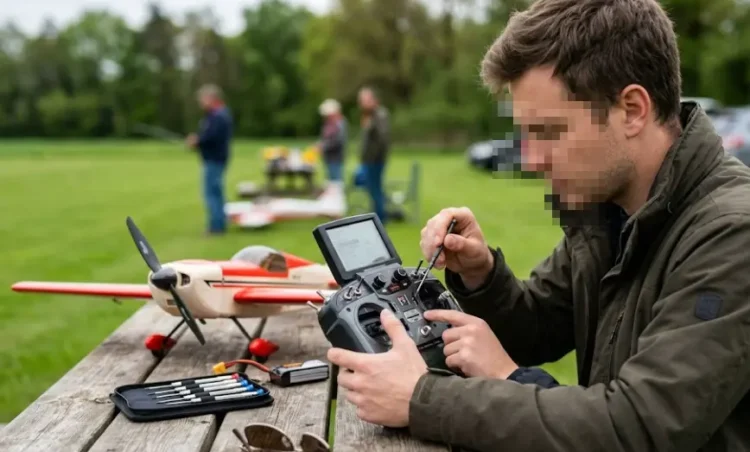
Rates and Expo on the Transmitter Side
The transmitter has a few settings that are worth understanding too. Stick tension, dual rates, exponential — these aren’t things a beginner needs to touch immediately, but they change how sensitive the plane feels to input. A radio set to full rates with no expo can feel twitchy and overcorrected in the hands of someone still learning to fly smoothly. Lower rates and some expo simply make the controls feel less nervous. The plane can still move through the same basic range when you need it.
Coming From RC Cars? A Few Things Are Different
If you’re coming from RC cars, there are a couple of differences worth knowing.
I covered the basic transmitter and receiver setup for cars here: RC Transmitters and Receivers Explained.
Plane setups tend to demand more attention to signal reliability simply because there’s less margin for error. A car that briefly glitches usually just stops or veers a little on the ground. A plane doing the same thing is a different situation entirely.
Heat usually isn’t the first thing I’d look at with a plane’s radio system. Still, a receiver buried inside a tight fuselage next to a hot ESC can get warmer than you’d expect, and it’s worth checking placement if you’re chasing intermittent glitches that don’t show up on the bench.
You don’t need to memorize all of this before your first flight. Just remember that the radio link is working the entire time the plane is in the air. Once you understand that, binding, range checks, and failsafe settings stop feeling like extra steps and start feeling like part of the setup.