Drone Flips Over Immediately on Takeoff: 4 Causes and Fixes
If your drone flips over immediately on takeoff, the flight controller is almost certainly correcting in the wrong direction. The usual causes are incorrect propeller placement, mismatched motor direction, incorrect motor mapping, or a flight controller (FC) orientation that doesn’t match its physical mounting. All four can be checked at your desk, with the props off.
This article is about FPV quads running Betaflight. Camera drones with fixed firmware don’t expose these settings, so the steps below won’t apply to them.
Here is why the flip happens so fast. When the quad tilts, the FC speeds up the motors on the low side to level it out. If the FC misidentifies a motor’s position or rotation direction, its corrections can make the tilt worse instead of correcting it. The quad can flip before the pilot has time to react. Tuning problems tend to show up as wobble or oscillation instead, so I’d work through the setup items below before touching PIDs.
Before You Start
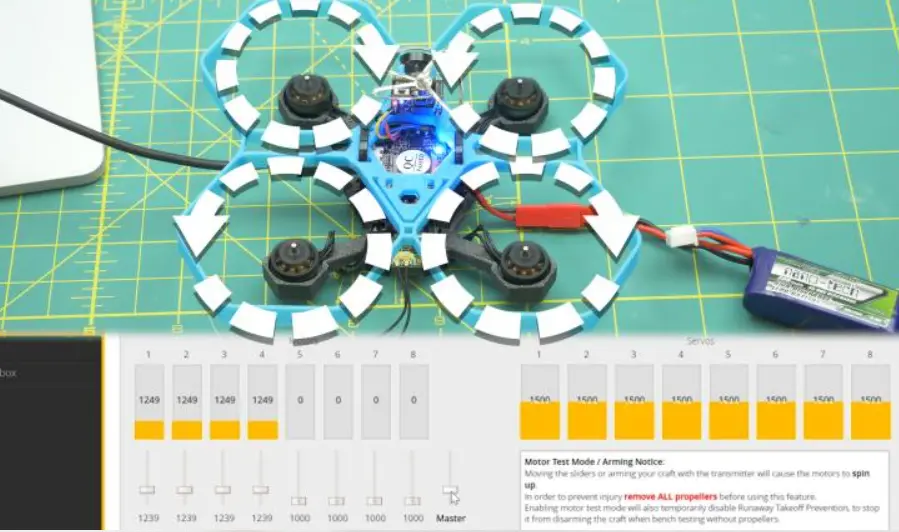
Remove all four propellers. Betaflight’s Motors tab spins motors on request, and the Configurator warns that motors will spin when you set direction. Plug in a battery for the motor tests, keep your hands clear, and unplug it between changes.
Wrong Propeller Placement
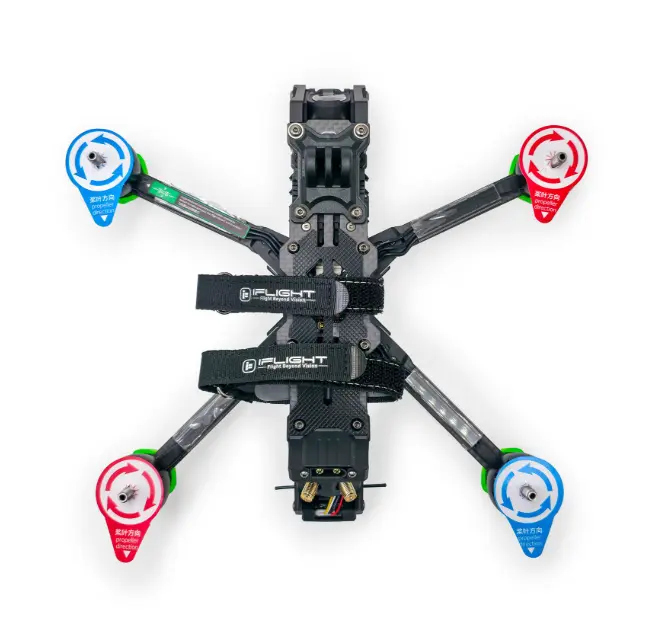
Props have a rotation direction, and a clockwise prop on a counterclockwise motor pushes air the wrong way or loosens itself. The quad then loses lift on one corner and rolls over on the spot.
On a standard layout, the front-left and rear-right motors spin clockwise and the front-right and rear-left motors spin counterclockwise, according to this Betaflight setup walkthrough. Check that each prop matches the motor under it, and that none is mounted upside down. Also look at whether your build is “props in” or “props out,” because Betaflight needs to know which one you have (covered in the next section).
Motor Spin Direction Doesn’t Match Betaflight
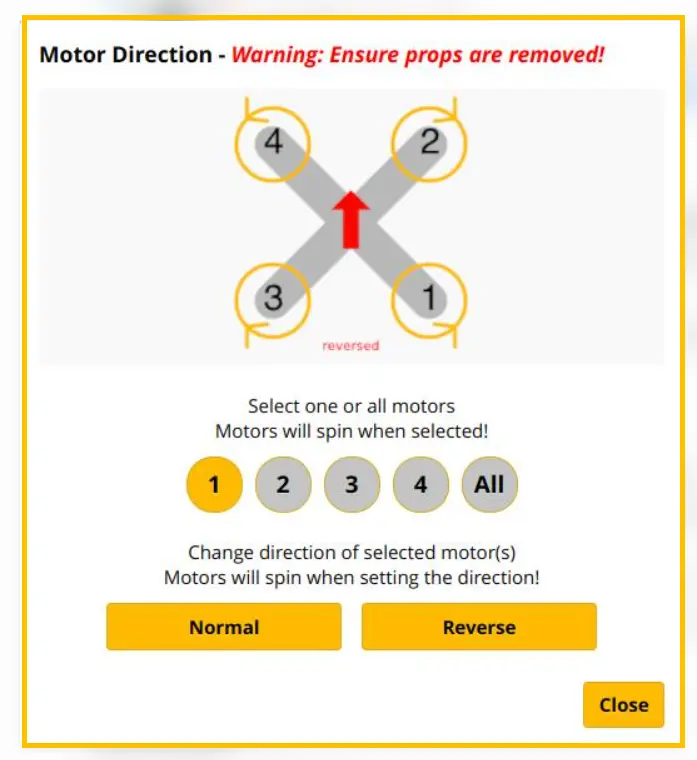
Betaflight draws the expected spin direction for each motor on the diagram in the Configuration tab. If a motor spins the other way, the FC’s corrections for that corner fight the tilt instead of fixing it.
- Remove the props and open the Motors tab.
- Enable the motor test and spin each motor one at a time.
- Compare each motor’s actual rotation with the arrows on the Betaflight diagram.
If every motor spins backward compared with the diagram, the quad may be built props-out. In that case the Configuration tab has a “motor direction is reversed” checkbox. One forum reply notes that this option doesn’t change how the motors spin, it only tells Betaflight which direction you intend.
If only one or two motors are wrong, you have two options. On BLHeli32 or AM32 ESCs, newer Betaflight versions let you reverse a motor from the Motors tab, so you don’t need to reopen an ESC tool.Alternatively, swapping any two of the three motor wires reverses the motor’s physical rotation.. GetFPV’s guide covers the Configurator method and mentions feeling the motor bell with a light fingertip to check rotation.
Motors Plugged Into the Wrong Outputs
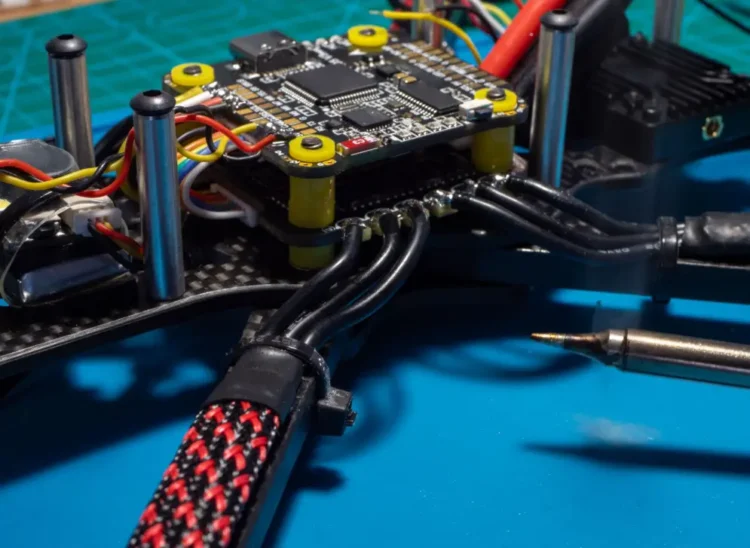
Motors can all spin and still be mapped wrong. If the command for motor 1 goes to the motor sitting in position 2, every correction lands on the wrong corner.
The standard Betaflight layout, as laid out in FPV Frenzy’s motor order guide, is:
- Motor 1: rear right, clockwise
- Motor 2: front right, counterclockwise
- Motor 3: rear left, counterclockwise
- Motor 4: front left, clockwise
In the Motors tab, raise the slider for motor 1 and see which physical motor spins. Repeat for 2, 3, and 4. If two are swapped, the same guide describes remapping through the CLI resource commands, which works on Betaflight 3.1 and later. From Betaflight 4.3 on, the Configurator has a small on-screen tool for reordering motors, so no resoldering is needed. Check which version you’re running before looking for it.
Flight Controller Orientation Is Off
The FC has an arrow printed on it that is supposed to point toward the front of the quad. If the board is mounted rotated, or flipped, and Betaflight hasn’t been told, the gyro reads pitch as roll or reads backward. Betaflight’s documentation on FC orientation explains that the firmware needs to know how the board’s axes line up with the frame, or the PID controller misreads the quad’s attitude.
To test it, open the Setup tab and pick the quad up by hand. Tilt the nose down and watch the 3D model. If the model tilts nose up, or rolls when you pitch, the orientation is wrong. The fix is in the Configuration tab under “Board and Sensor Alignment,” where the angles are set in steps until the model follows your hand. Change the board alignment angles only if the FC is physically rotated relative to the frame. If the board is mounted in its intended orientation, leave the default alignment settings unchanged unless you have a specific reason to modify them.
Check out these related posts:
- FPV Drone ESC Smoke When You Plug In the Battery: What to Check First
- One Drone Motor Getting Hot? Here’s What to Check First
- Drone Battery Voltage Drop on Throttle: Is It the Battery or the Connector?
If It Still Flips
Run the checks in this order: props, motor direction, motor order, then the 3D model. Each takes a few minutes, and most of the time one of them turns up the problem. If all four look right and the quad still rolls over, the next things worth a look are damaged or loose motors, a damaged FC or gyro, and the ESC protocol and settings. At that point a forum thread with your Betaflight diff all output attached will get you more specific help than guessing.
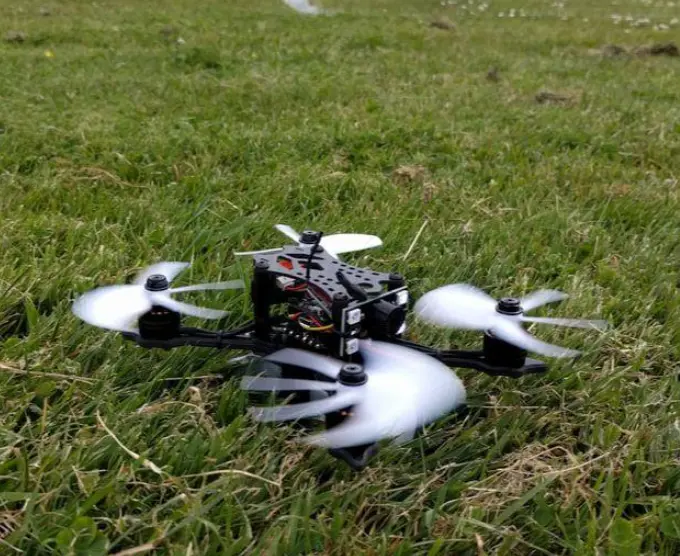
Before attempting a full flight, perform a brief, low-altitude hover test over grass in a clear area.