One Drone Motor Getting Hot? Here’s What to Check First
One Drone Motor Getting Hot?
If only one motor runs hot, the cause is usually something physical, such as a screw, a bearing, a prop, or a solder joint. Tuning problems tend to heat up all four motors. The first thing I’d check is whether a motor screw is touching the windings, because that can ruin a motor and sometimes the ESC with it.
Stop flying until you’ve found the cause. A motor that stays hot can burn its winding coating and cause a permanent short.
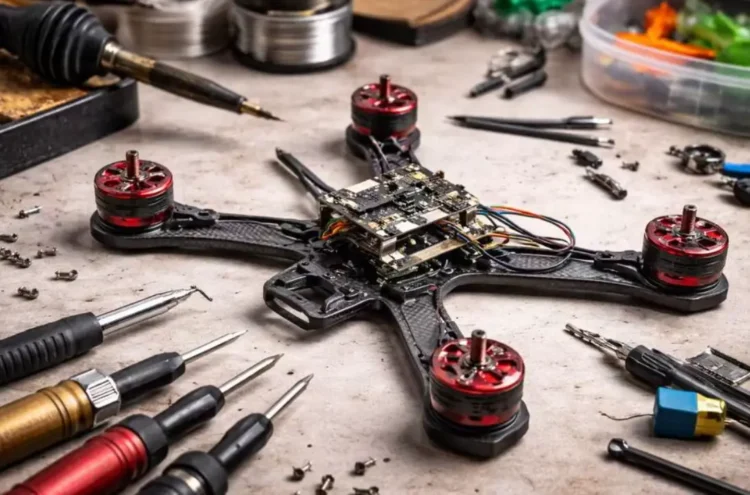
Is It the Tune or the Hardware?
All four motors hot usually points at settings: aggressive PID or filter changes, a noisy build, or a hot day. If you changed your Betaflight settings before the problem started, go back to the previous ones first. If the motors are still hot on default settings, Oscar Liang’s overheating guide says the problem may be mechanical.
One hot motor with three normal ones leans toward hardware. It’s not a guarantee, so treat the list below as an order to check things in, not a diagnosis.
How Hot Is Too Hot?
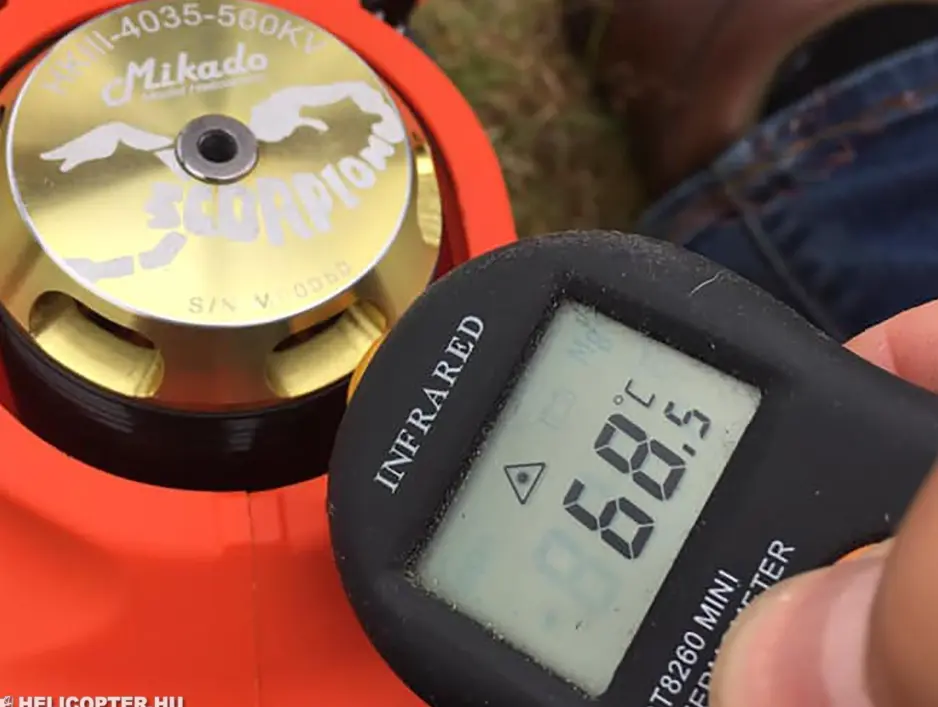
There’s no single temperature that separates normal from bad. A motor that’s warm after a hard flight on a hot afternoon can be perfectly healthy. A rough field test is whether you can still hold the motor comfortably between your fingertips right after landing. The important comparison is against the other three motors, flown the same way. If one is clearly hotter, or you smell burnt varnish, check it before the next flight.
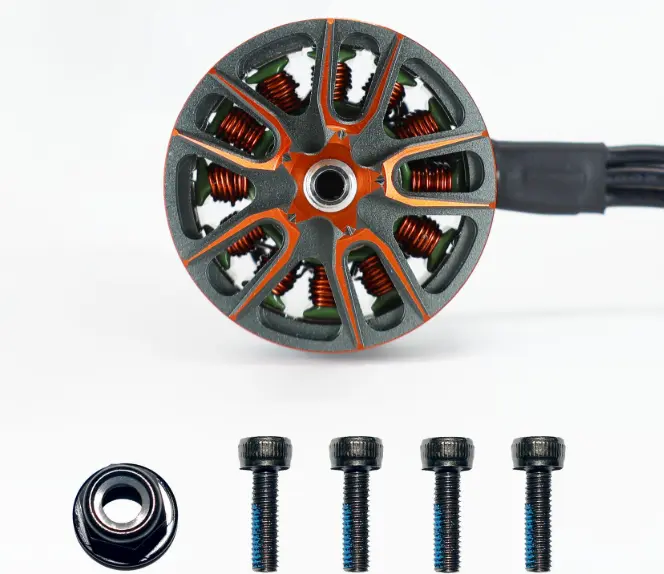
Motor Screws Touching the Windings
This is where I’d look first, especially after a new build, an arm replacement, or swapping to different screws. If a screw is too long, it pokes into the motor and can touch the copper windings. Carbon fiber conducts electricity, so the screw can complete a short circuit through the frame.
To check:
- Remove the prop and look inside the motor bell from the bottom with a flashlight or magnifier. See whether any screw tip sits close to the windings.
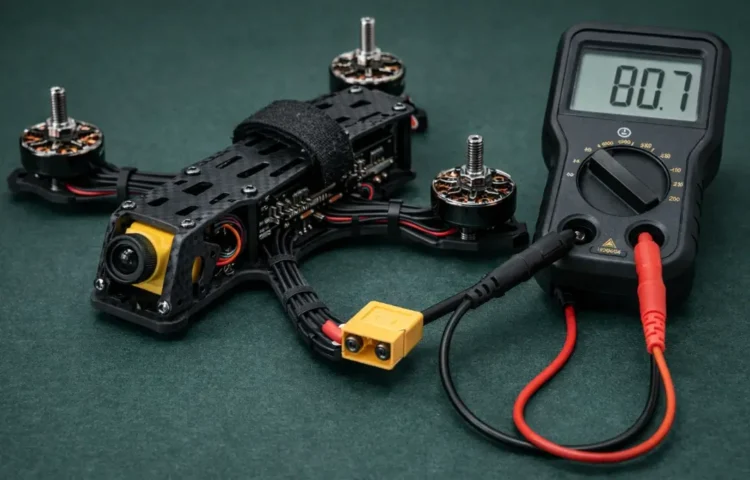
- Set a multimeter to continuity. Put one probe on a motor screw and the other on each of the three motor wires (or their solder pads on the ESC). A beep or zero resistance means the screw is touching the winding.
- Repeat for every screw on every motor.
For screw length, Oscar Liang’s rule of thumb is a 5 mm screw for 3 mm arms and a 6 mm screw for 4 mm arms. If you don’t have shorter screws, a washer or two can take up the difference. Skip plastic screws on motors.
A screw that didn’t beep on the meter isn’t automatically innocent. If you saw winding damage under the screw hole, replace that motor.
Worn Bearings or Debris in the Bell
Pull the prop and spin the bell slowly by hand. It should turn smoothly and freely. A gritty feel, a scraping sound, or a spot where it catches suggests worn bearings or sand or metal bits inside. Dirt and a crash landing in grass or sand are the usual suspects, and an old motor can simply be worn out. A rough motor works harder to hold the same RPM, so it draws more current and runs hotter.
A smooth spin doesn’t clear the windings, though. A motor can turn freely by hand and still have a short that only shows up when power is applied.
A Bent or Chipped Prop
A prop that’s slightly bent or chipped can cause vibration. The flight controller reacts to that vibration, and the motor on that corner may end up working harder than the others. Hairline damage is easy to miss, so compare the suspect prop against a fresh one on the same motor. This is the cheapest check on the list, and it matters most after a crash where you re-used the same props.
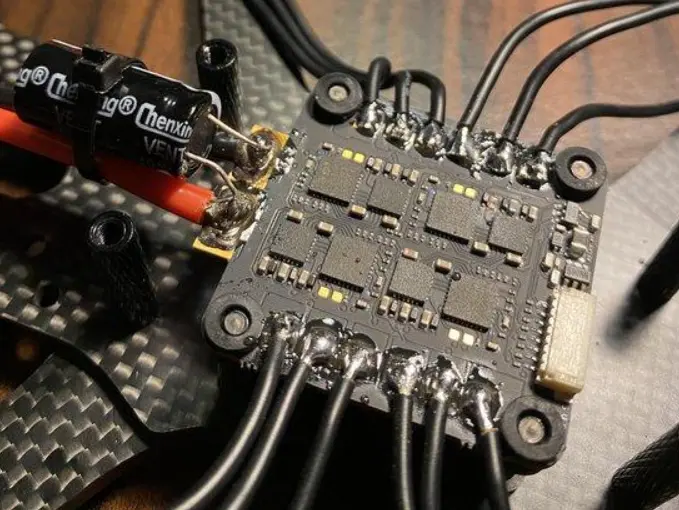
Weak Solder Joints on the Motor Wires
A poor joint on one motor wire adds resistance, and resistance turns into heat at the joint and in the motor. Look for dull, grainy, or lumpy solder, or a wire that moves when you gently tug it. Reflow any joint that looks questionable. Check that the three wires aren’t touching each other or the frame anywhere along their length.
An ESC Problem on That Motor Output
If the motor and the ESC output both look fine, the ESC could be the problem. A damaged output stage can send uneven power to that one motor. The swap test below tells you whether to blame the motor or the ESC.
The Swap Test
A motor swap can help distinguish a faulty motor from an ESC output problem, but don’t use a hover flight to test a suspected fault. Start with the props removed and inspect the wiring, motor, and ESC connections with the battery disconnected.
- Swap the suspect motor (A) with a known-good motor (B), or have a qualified technician test the motors on different ESC outputs.
- Check whether the fault follows the motor or stays with the original ESC output.
- If the fault follows the motor, inspect its bearings, windings, and bell.
- If the fault stays with the original output, investigate the ESC, wiring, and arm for possible vibration or alignment issues.
If the cause remains unclear, don’t fly until the fault has been identified and corrected. A controlled test under load should only be performed once the electrical and mechanical checks indicate that it is safe.
A Couple of Things That Aren’t So Obvious
Hot motors don’t always mean a defect. Hovering indoors without much airflow can warm motors up, and a hot summer afternoon makes everything worse. Check the other three motors before deciding the one that’s hot is faulty.
Also check the frame itself. A twisted arm, a bent motor mount, or a motor sitting at a slightly different angle can make that corner work harder to hold the quad level. It’s easy to blame the motor when the arm is the real problem.
Check out these related posts:
👉 Drone Motors Beeping and Won’t Arm? Start With the Arming Flags
👉 Drone Battery Voltage Drop on Throttle: Is It the Battery or the Connector?
👉 Longest Endurance Hybrid Drones and What the Numbers Mean
If the Motor Still Runs Hot After All This
At that point I’d replace the motor and compare, since a motor with a damaged winding or weakened magnets won’t show anything on the bench. If the new motor also heats up in the same position, have the ESC looked at before it burns another one.