Drone Motors Beeping and Won’t Arm? Start With the Arming Flags
If your drone motors keep beeping after you plug in the battery and the quad won’t arm, start with Betaflight’s arming flags. Open the CLI tab in Betaflight Configurator, type status, and look for the line labeled “Arming disable flags.” It should tell you what’s preventing the quad from arming.
Remove the propellers before troubleshooting. You’ll be working with a powered quad, and you may need to test the motors later.
Is It the ESC or the Flight Controller?
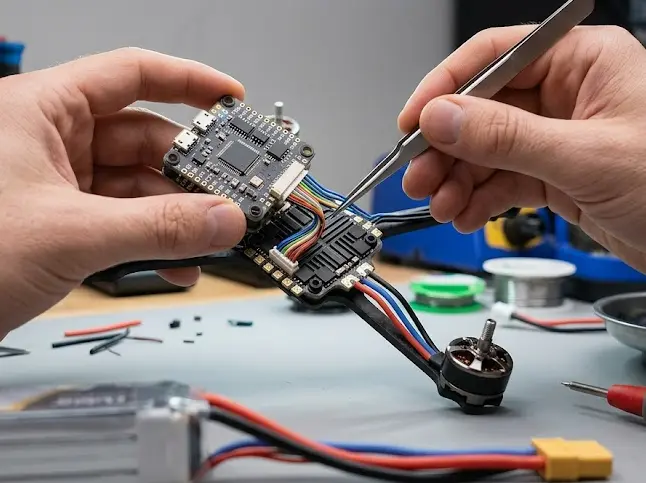
Beeping and refusing to arm aren’t quite the same problem. The ESC may beep because it isn’t receiving a valid signal from the flight controller, or because it’s reporting a condition that needs attention. The flight controller can also prevent arming even when the motors are completely silent.
If the motors keep beeping, start with the signal connection between the flight controller and ESC. If the motors stay quiet but the quad won’t arm, the arming flags are a better starting point.
Beep patterns vary between ESC firmware versions, including BLHeli_S, BLHeli_32, and AM32. If the usual checks don’t explain the sound, look up the pattern in the documentation for your ESC.
How to Read the Arming Flags
Connect the flight controller, open the CLI tab, and enter status. You may see several flags at once. Here are some common ones and what to look at when they appear.
| Flag | What it means | What to check |
|---|---|---|
| RXLOSS | No valid receiver signal | Check the receiver connection and binding. Make sure the transmitter is on and the receiver link is working. |
| THROTTLE | The throttle channel is above the allowed arming threshold | Open the Receiver tab and check the throttle value. Adjust the radio endpoints if needed. |
| ANGLE | The quad is tilted beyond the permitted angle | Set it on a level surface. If the flag remains, check the accelerometer calibration. |
| NOPREARM | The prearm requirement hasn’t been satisfied | Check the prearm switch assignment and activate it before arming. |
| ARMSWITCH | The arm switch is preventing arming | Check the switch position and arming configuration. |
| CLI / MSP | A configurator or MSP-related restriction is active | Disconnect USB and check the status again. |
| BOXFAILSAFE | A failsafe condition is active | Check the receiver link and failsafe settings. |
| CALIB | A calibration or sensor initialization condition is preventing arming | Keep the quad still and see whether the flag clears. |
Flag names and behavior can vary by Betaflight version, so check the documentation for your installed version if something doesn’t match.
Flag names can shift a little between Betaflight versions, so the full flag list in the Betaflight docs is the one to trust.
Check the Throttle Range
Open the Receiver tab, lower the throttle stick all the way, and watch the channel value.
On a typical setup, minimum throttle is close to 1000. If the value stays noticeably higher, the THROTTLE flag may remain active. Check your radio’s endpoints and channel settings before changing anything in Betaflight.
The exact threshold depends on your configuration, so don’t rely on the number alone.
ESC Protocol and Wiring
In Betaflight, make sure the selected ESC protocol is supported by your ESC. For example, an ESC that only supports an older analog protocol won’t understand a DShot600 signal.
If the protocol isn’t supported, select one listed in the ESC specifications. Switching to a slower DShot setting won’t help if the ESC doesn’t support DShot at all.
DShot doesn’t require traditional throttle-range calibration. Some analog protocols, including PWM, OneShot, and MultiShot, may require it, depending on the ESC and firmware. Follow the instructions for your particular hardware.
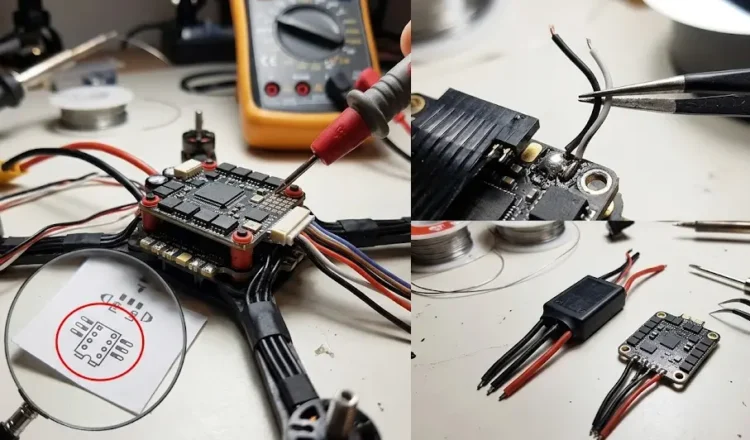
If the settings look right, inspect the connections:
- Make sure each motor signal wire is connected to the correct pad.
- Look for loose wires and poor solder joints.
- Check the connector between the flight controller and 4-in-1 ESC for bent pins or a loose connection.
If you’ve recently replaced a board, double-check the pinout. Similar-looking connectors don’t always use the same layout.
Could the Battery Be the Problem?
A weak or damaged LiPo can cause startup problems, too. Use a LiPo checker to measure the individual cell voltages.
If one cell reads much lower than the others, stop trying to arm the quad until you’ve checked the pack. Don’t keep using a battery that appears damaged or has an abnormal cell voltage.
Check out these related posts:
👉 Longest Endurance Hybrid Drones and What the Numbers Mean
👉 Why Did Drones Fall Skywalker Range? What Usually Happens
Common Questions
Can I test the motors with the propellers on?
No. Remove the propellers before troubleshooting or testing the motors. An unexpected arming event can cause serious injury, even with the quad sitting on a workbench.
Do I need to calibrate my ESCs if I’m using DShot?
No, not for throttle range. DShot doesn’t use the traditional throttle calibration procedure required by some analog ESC protocols.
If the motors still beep, check the ESC’s supported protocols, wiring, firmware, and beep pattern.
Why won’t my drone arm while it’s connected to my laptop?
Betaflight may block arming while the configurator is connected. Check the arming flags, disconnect USB, and run status again.
If other flags remain, USB probably isn’t the only thing you need to investigate.
If the arming flags are clear but the motors still beep, look up the exact sound in your ESC documentation. The startup tones and warning beeps can mean different things depending on the firmware.