Drone Battery Guide – How I Get Longer Flight Time (Without Killing My Batteries)
The first time I flew a drone, I learned something pretty quickly.
Flight time disappears way faster than you expect.
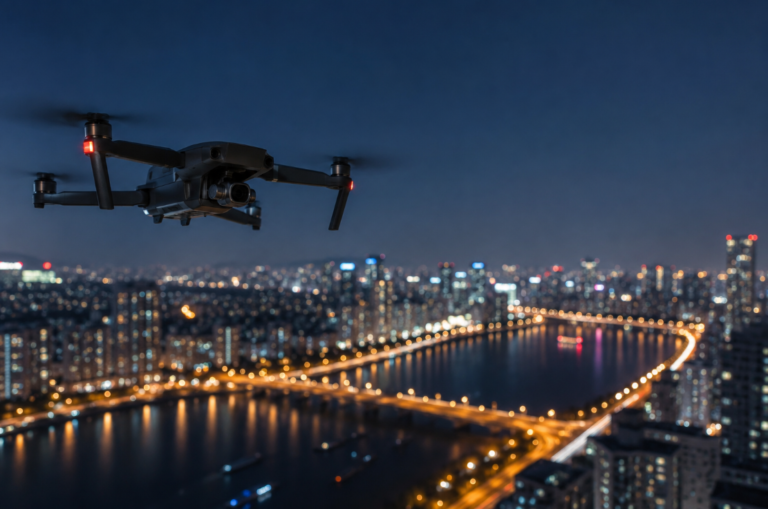
One minute you’re lining up the perfect shot… the skyline looks amazing… the lighting is perfect… and then suddenly the low battery warning pops up.
If you fly drones, you already know the feeling.
After flying for a few years (and draining more batteries than I’d like to admit), I realized something important: battery habits matter more than most people think.
A few small changes in how you charge, store, and fly can easily add several minutes to your flight time—and also keep your batteries healthy for a lot longer.
So in this guide, I’m sharing the practical things I’ve learned from real flights, not just what manufacturers say in the manual.
If you’re new to drones, you might also want to check out my guide on choosing a starter drone:
👉 Best Drones for Beginners (Easy to Fly in 2026): What I’d Actually Recommend
But first, let’s talk about the thing that actually keeps your drone in the air: the battery.
Understanding Drone Batteries (The Simple Version)
Most consumer drones today use LiPo batteries, short for lithium-polymer.
They’re incredibly powerful for their size, which is exactly why drones can fly the way they do. Fast climbs, stable hovering, and quick acceleration all come from the power these batteries can deliver.
But that power comes with a trade-off.
LiPo batteries are a little more sensitive than regular batteries. Treat them well and they perform beautifully. Ignore basic care, and they wear out quickly.
Inside a drone battery are several small cells storing electrical energy. When your drone is flying, those cells are powering everything at once:
- Motors
- Stabilization sensors
- GPS
- Camera system
- Flight computer
That’s a lot of work happening in a small battery.
Even though many drones advertise 25–30 minutes of flight time, real-world results are usually a bit lower depending on how and where you fly.
What Actually Affects Drone Flight Time
After a lot of flying, I’ve noticed a few things that consistently impact battery life.
Some of them are obvious. Others are surprisingly easy to overlook.
1. Wind (The Silent Battery Killer)
Wind is probably the biggest factor most beginners underestimate.
When a drone fights wind, the motors have to work much harder to stay stable. That extra effort drains the battery quickly.
On calm days, I often get several extra minutes of flight time compared to windy conditions.
If you want longer flights, choose calm weather whenever possible.
2. Temperature Matters More Than You Think
Cold weather can reduce battery performance dramatically.
Lithium batteries simply don’t perform well when they’re cold.
During winter flights, I usually keep my spare batteries inside my jacket pocket until I’m ready to use them. Keeping them slightly warm helps maintain better performance.
It’s a small trick, but it definitely helps.
3. Flying Style Makes a Huge Difference
How you fly has a big impact on battery life.
Aggressive flying like this:
- Fast acceleration
- Sudden climbs
- Sharp turns
- Constant full-throttle movement
…drains batteries quickly.
Smooth, controlled flying uses much less power.
Ironically, cinematic drone footage usually comes from slower movements anyway, so flying smoothly helps both your battery and your footage.
4. Extra Weight
Every extra gram matters.
Accessories like:
- ND filters
- Landing gear extensions
- LED lights
- Third-party mounts
…all add weight.
The difference may seem small, but the motors have to compensate for that extra load the entire flight.
If maximizing flight time is your goal, keep your drone as light as possible.
My Personal Charging Habits (That Actually Help)
Charging habits make a bigger difference than people realize.
These are the simple rules I follow.
Always Use the Original Charger
Drone batteries are designed for specific charging voltages.
Using random third-party chargers can shorten battery lifespan or cause overheating. I always stick with the charger that came with the drone.
It’s the safest option.
Don’t Leave Batteries Plugged In Forever
Most modern drone batteries have built-in smart protection, but I still unplug them once they’re fully charged.
Leaving batteries connected to power for hours or days isn’t ideal for long-term battery health.
Personally, I prefer charging batteries the same day I plan to fly.
Let Batteries Cool Before Charging
After landing, batteries are usually warm.
Charging them immediately isn’t a great idea.
I normally wait 20–30 minutes before plugging them in. Letting the battery cool down helps protect the internal cells.
It’s a small habit that can extend battery life over time.
Proper Drone Battery Storage
When you’re not flying for a while, storage becomes important.
One of the biggest mistakes people make is storing batteries fully charged.
Store Batteries Around 40–60%
LiPo batteries prefer partial charge during storage.
Most modern smart batteries automatically discharge themselves after a few days, which is a fantastic feature.
It removes a lot of stress about remembering the exact charge level.
Avoid Extreme Temperatures
Heat and cold are both bad for batteries.
Never leave drone batteries:
- Inside a hot car
- In freezing temperatures
- Near heaters or direct sunlight
A cool, dry environment is always best.
Treat them like sensitive electronics, not just power packs.
Signs Your Drone Battery Is Wearing Out
Even with perfect care, batteries eventually age.
Here are the warning signs I watch for.
Flight Time Drops Suddenly
If your drone normally flies 25 minutes but suddenly struggles to reach 18–20 minutes, the battery may be nearing the end of its lifespan.
Battery Swelling
This is a serious warning sign.
If the battery looks swollen or deformed, stop using it immediately. Damaged LiPo batteries can be dangerous.
App Warnings
Many drone apps show battery health and charge cycles.
I check this occasionally just to see how my batteries are aging.
Batteries Make or Break Your Drone Experience
Drones get all the attention—the cameras, the features, the smart flight modes.
But honestly?
The battery is the real hero.
Take care of it, and your drone becomes much more enjoyable to fly. Flights last longer, performance stays consistent, and you avoid unexpected problems in the air.
And sometimes, those extra few minutes of battery life are exactly what you need to capture the shot you were hoping for.
If you’re just getting into drones and still deciding what to buy, my beginner drone guide might also help:
👉 Best Drones for Beginners (Easy to Fly in 2026): What I’d Actually Recommend
Choosing the right drone—and taking care of its batteries—makes the entire flying experience much better.
Trust me on that one.